
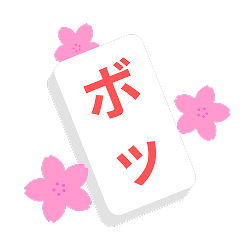
Welcome to Super-Shiritori!
Please remember:
- No vandalism – Do not add nonsense, false info, spam, or blank pages.
- Respect others – Be polite and assume good faith.
- Use reliable information – Make sure edits are accurate and IMPORTANT.
- Stay constructive – Help us grow the wiki with content, especially with the Word compendium.
⚠️ Repeated vandalism or rule-breaking may result in warnings or blocks. If you see vandalism, please revert it and notify an admin.
-
 Main profile picture
 -
 Holiday profile picture
 -
 Halloween profile picture
 -
 Original profile picture
.png)


Super-Shiritori is the flagship Discord bot of the project, running a word-chain game in which players respond with a word beginning with the final letter of the previous word. Alongside its core game, it supports several related word-based modes, tracks detailed player statistics, and maintains the shared dictionary of over 1.6 million entries. It is one of three separate bots that make up the project, running alongside Word-Curatori and Vexitori.
Features
- Multiplayer and solo word-chain gameplay, against other players or AI opponents with distinct personalities
- A dictionary exceeding 1.6 million entries, drawn from acronyms, user submissions, foreign-language borrowings, constructed languages, and established published dictionaries
- Additional game modes, including Word Bomb, Wordle, Anagram, and Protori
- A rarity-based word rolling and trading system
- Player statistics, leaderboards, and a leveling system with unlockable Achievements (formerly called titles)
- Deployable in any Discord server
- A small number of hidden text-trigger commands functioning as puzzle easter eggs
Bot Commands
Multiplayer Shiritori
| Command | Description |
|---|---|
/start_shiritori [#channel] |
Starts a multiplayer game in the specified channel. Requires the Manage Messages permission or bot owner status. |
/end_shiritori |
Manually ends the current game and displays final statistics. |
/invite_ai |
Invites an AI opponent with a randomly assigned personality into the current game. |
/murder_ai |
Attempts to remove the current AI opponent from the game. |
/leaderboard |
Displays the server's multiplayer leaderboard by category. |
/my_stats |
Displays the player's personal global multiplayer statistics. |
/levels_leaderboard |
Displays the server's level leaderboard. |
/level |
Displays the player's current level and experience progress. |
/restore_games |
Restores active games after a bot restart or shutdown. |
/global_stats |
Displays aggregated multiplayer statistics across all servers. |
Main article: Multiplayer Shiritori
Protori
| Command | Description |
|---|---|
/start_protori [#channel] |
Starts a Protori game in the specified channel. Requires the Manage Messages permission or bot owner/curator status. |
/end_protori |
Manually ends the current Protori game. |
/protori_stats |
Displays the player's Protori statistics, both globally and broken down per server. |
/protori_leaderboard |
Displays the Protori leaderboard, server or global. |
Main article: Protori
Solo Shiritori
| Command | Description |
|---|---|
/solo_shiritori |
Starts a private solo game against the AI in a dedicated thread. |
/solo_stats |
Displays the player's solo statistics. |
/solo_leaderboard |
Displays the global solo leaderboard. |
Main article: Solo Shiritori
Wordle
| Command | Description |
|---|---|
/wordle |
Starts a private Wordle game. |
/wordle_leaderboard |
Displays Wordle win streaks by word length and mode. |
/wordle_stats |
Displays the player's personal Wordle win streaks by mode. |
Main article: Wordle
Word Bomb
| Command | Description |
|---|---|
/wordbomb |
Starts a Word Bomb game. |
/wordbomb_leaderboard |
Displays the server's Word Bomb leaderboard. |
/wordbomb_stats |
Displays the player's personal Word Bomb statistics. |
Main article: Wordbomb
Anagram
| Command | Description |
|---|---|
/anagram |
Starts a private Anagram game. |
/anagram_stats |
Displays the player's personal Anagram statistics. |
/anagram_leaderboard |
Displays the server's Anagram leaderboard. |
Main article: Anagram
Dictionary and Words
| Command | Description |
|---|---|
/dictionaries |
Checks the player's progress against specific themed word lists. |
/check |
Checks whether one or more words are in the dictionary. |
/characters |
Displays the character count of the given word or words. |
/solve |
Searches for words matching a given prompt, length, or other criteria. |
/suggest |
Suggests a word for addition to the dictionary, or proposes removal of an existing entry. |
/define |
Returns an AI-generated definition of a word. |
/word_collection |
Displays a player's collected words. |
/random_word |
Returns a random word that has not yet been played. |
/wordhunt |
A recurring personal challenge, refreshing every 12 hours, that prompts the player to find dictionary words they have not yet used. |
Main article: Dictionary Information
Casino and RNG
| Command | Description |
|---|---|
/roll |
Rolls for a random word, weighted by rarity. |
/set_casino |
Sets or removes the channels where /roll may be used.
|
/rng_draw |
Spins for a chance at rarer rewards. |
/rng_stats |
Displays the player's personal rolling statistics. |
/rng_global |
Displays global rolling statistics. |
/rng_set_luck |
Sets the player's luck multiplier for rolls. |
/word_trade |
Trades a word with another player. |
Achievements
| Command | Description |
|---|---|
/achievements |
Displays the player's unlocked and obtainable achievements. Public/Private visibility choice. |
/set_achievement |
Sets or clears the player's displayed achievement from among those unlocked. |
Main article: Achievements
Configuration and Utility
| Command | Description |
|---|---|
/toggle_corrections |
Toggles whether invalid words are deleted and warned about, or only marked with a reaction. Requires the Manage Messages permission. |
/config_view |
Displays the server's configuration for AI event logging and word suggestion notifications. |
/server |
Returns an invite link to the official support server. |
/wiki |
Returns a link to this wiki. |
/curator_form |
Returns a link to the Word Curator application form. |
/help |
Displays a list of all commands. |
Quick Chat Commands
| Command | Description |
|---|---|
!i |
An expanded version of /check with more detail.
|
!level |
Quick view of the player's level and experience progress. |
!achieve, !achievement, !achievements |
Opens the player's list of unlocked and obtainable achievements. All three aliases work identically. |
!check |
Curator only. Checks the status of pending word suggestions and removals. |
!status |
Displays the current game's status, including words played, average word length, and the next required letter. |
!longest |
Displays the top five longest words played in the current game. |
!rng <word> |
Checks a word's rarity and global ownership. |
A small number of additional text-trigger commands exist as hidden puzzle easter eggs. Their exact triggers are not documented publicly here. Separately, a set of documented explainer commands — !hyphens, !neoses, !aisource, and their aliases — answer common questions about dictionary rules; see Dictionary Information.
AI Opponents
Multiplayer games may include an AI opponent, added either randomly through /invite_ai or by summoning a specific personality with a text command. Each of the 19 personalities follows its own word-selection logic — NOOB favors short, simple words, PRO requires words of at least twelve letters, MIMIC attempts to answer with an anagram of the player's own last word, and so on. Two further AI types, Sniper and Assassin, layer additional mechanics — one-shot dramatic word plays and a hijack-and-silence risk/reward exchange, respectively — on top of the base system.
Main article: AI Bots
Game Modes
Multiplayer Shiritori
The core game mode. Players take turns submitting words in a shared channel, each beginning with the final letter of the previous word. Repeated words, invalid characters, and words that do not follow the required letter all end a player's turn or the game, depending on server configuration.
Main article: Multiplayer Shiritori
Protori
A scoring-based variant of multiplayer Shiritori. Rather than simply continuing the chain, every accepted word earns points from a flat per-letter point table, weighted by how rare each letter is in the dictionary rather than a standard Scrabble-style tile distribution; a word's base score is just the sum of its letters' values. Continuing more deeply into the previous word than just its final letter — matching several trailing characters in a row — earns a chain bonus of roughly 1% of the word's base score per matched character, up to about +79% for a very deep match. Playing a word that has already been used ends the game immediately and costs the player a 250-point penalty.
Main article: Protori
Solo Shiritori
A private word-chain match played against an adaptive AI opponent in a dedicated thread. The AI begins as ROOKIE and its behavior shifts over time based on the player's performance and random chance.
Main article: Solo Shiritori
Word Bomb
An elimination game for up to 16 players, each starting with three lives. On each turn, a player must submit a valid dictionary word containing an assigned prompt string before a timer runs out; failing to do so costs a life. Games started through /wordbomb are configurable across several options, including bomb speed, starting difficulty (one of sixteen named buckets, from Tranquil down to the single-word Singularity tier), prompt length, allowed special characters, and an optional themed category filter.
Main article: Wordbomb
Wordle
A private word-guessing game with two modes: Standardized, which applies stricter word validity rules, and Full Dictionary, which allows any word in the bot's full dictionary. Players choose a target word length and may optionally allow hyphenated words as valid answers. Win streaks are tracked separately for each word length and mode.
Main article: Wordle
Anagram
A private single-player game in which the bot selects a base word and the player attempts to find as many valid words as possible using only the letters available in it.
Main article: Anagram
Dictionary Tools
Two related but separate features track a player's progress through the dictionary. /dictionaries reports progress against specific themed word lists. /wordhunt is a recurring personal challenge, refreshing every 12 hours, that surfaces dictionary words the player has not yet used.
Fool's Mode
A special, occasional state, traditionally run around April Fools' Day, in which the bot's word validation is deliberately loosened for comedic effect — words with no spaces are accepted as playable regardless of dictionary membership, and several commands (!i/!info, /check, the end-of-game summary) start returning deliberately unreliable or nonsensical output. It is toggled on and off manually by the bot's operator rather than being scheduled automatically by the code itself.
Main article: Fool's Mode
Development
Super-Shiritori has been developed and maintained by Ghost (no_where.ghost_002) since November 22, 2024, with administrative and moderation support from Kos (kos256) and GreenyMage (greenymage).
The bot's dictionary began as a small curated word list originally compiled by OMG, creator of the Roblox game Word Bomb. It later expanded through a bulk import of 320,000 words, followed by ongoing contributions from users, dictionary scraping from sources such as Merriam-Webster and Oxford, and the inclusion of acronyms, constructed languages, and foreign-language borrowings. The dictionary now exceeds 1.6 million entries. There is no anti-cheat system in place; players are free to consult external dictionaries or search engines, though playing without assistance is encouraged.
The bot runs on hardware maintained directly by its developer, Ghost, rather than on any cloud hosting service. It went offline on April 27, 2026, at the start of a military Permanent Change of Station (Expression error: Unrecognized punctuation character "{".) relocation that took Ghost from South Korea through Japan, Alaska, and Los Angeles, California, before he finally settled in Hawaii on June 8, 2026. A subsequent housing shortage there delayed the bot's return well past initial estimates; it came back online on August 10, 2026, after roughly three and a half months offline — the longest outage in the bot's history. Household expenses connected to the move, including hosting costs, were covered as part of U.S. government Expression error: Unrecognized punctuation character "{". support.
Since coming back online, an automatic restart-on-crash mechanism has been added, intended to make genuine 24/7 uptime realistic going forward; as of this writing, expected downtime is limited to maintenance, a crash severe enough to take the host machine itself down, or a power outage.
Two further features followed directly from that same reality. A planned restart or shutdown can now carry a custom message to every active game instead of one of two generic canned notices, so players get an accurate heads-up — an estimated outage length, for example — rather than a vague "update" notice. For the opposite case, a total, zero-warning loss of power gives the bot no chance to warn anyone before going offline at all; there's no way around that physically. What it can do instead is explain itself retroactively: reconnecting after any outage it wasn't able to shut down cleanly for now posts a message acknowledging the unplanned downtime, noting that unannounced power loss is a real and recurring possibility given the host machine's location, and confirming that any interrupted games have already been restored.
Official Design
- The name is always spelled "Super-Shiritori".
- The official color is hex #F91000, informally named "Shiritorier's-Orange" as of December 1st.
- The logo is a mahjong-style tile featuring the Japanese characters ボ ("bo") and ツ ("tsu").